
Updates to the Aardink editor v0.4.0
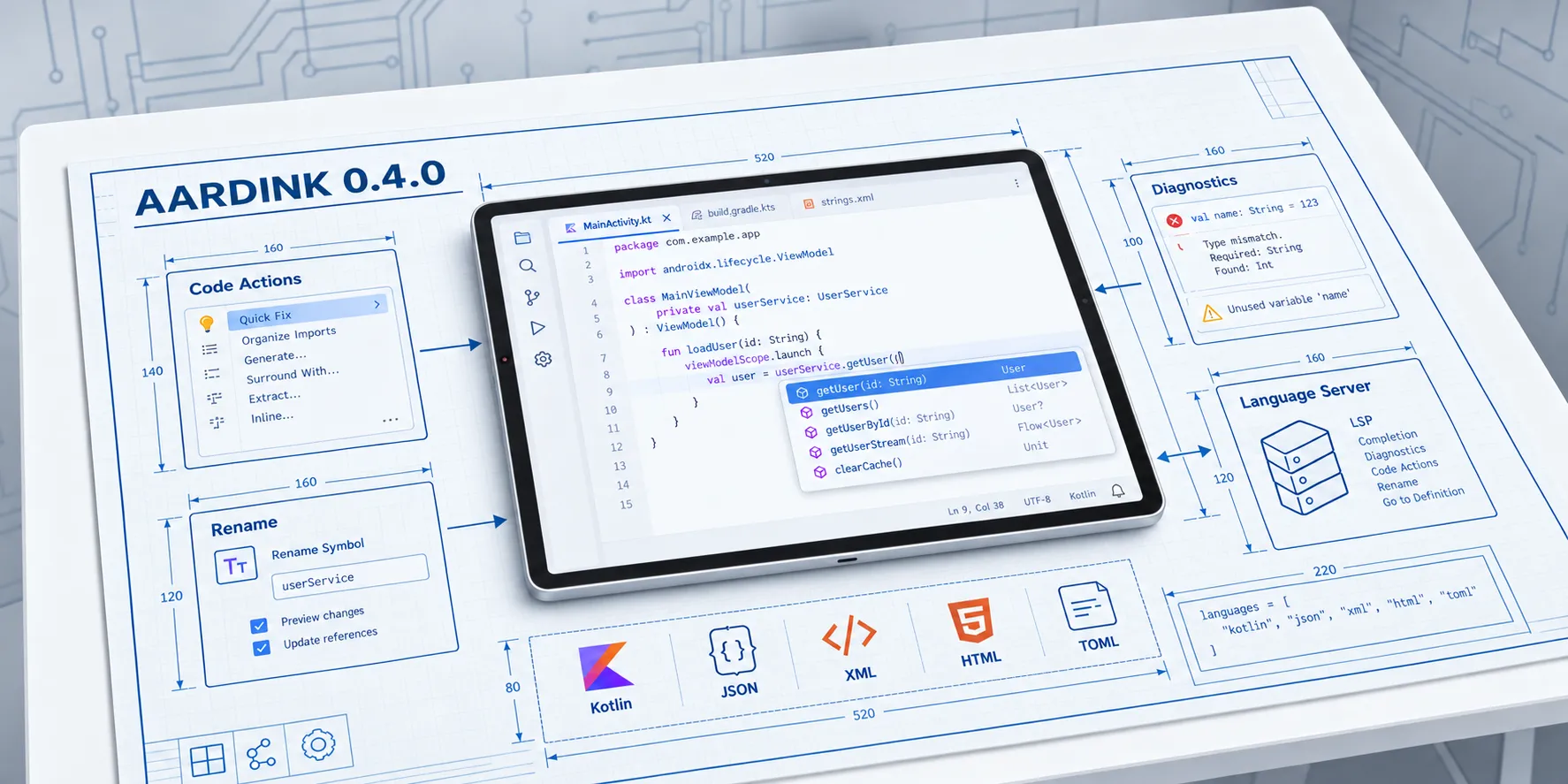
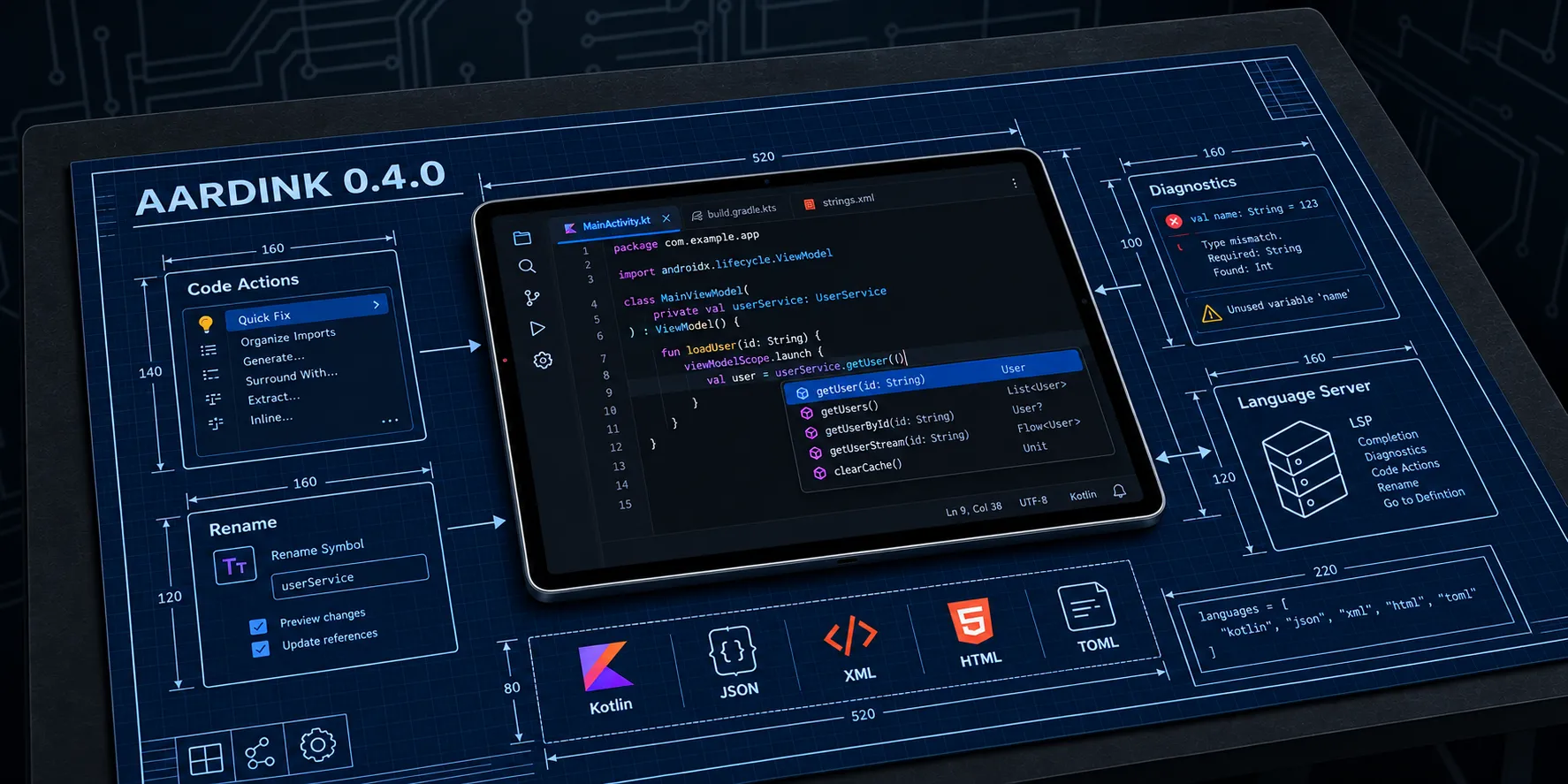
Aardink is a code editor for Android, written for Jetpack Compose. It has incremental tokenization, code folding, find and replace, a rich gutter, and a small “LSP-lite” contract through which a language can provide completions, diagnostics, hover and formatting. Version 0.4.0 was published to Maven Central on 7 September, and it is by some distance the largest release since the project started.
In brief: the built-in languages now do a great deal more, the language-service contract covers most of what a real language server offers, the editor has the UI to show all of it, and a new module lets you connect Aardink to an actual external language server over JSON-RPC. The rest of this post takes each of those in turn and looks at what they mean for an app that embeds the editor.
Bump both artifacts together, and add the new aardink-languages-lsp module only if you want to talk to an external
server:
dependencies {
    implementation("com.aardarch:aardink:0.4.0")
    implementation("com.aardarch:aardink-languages:0.4.0")
    implementation("com.aardarch:aardink-languages-lsp:0.4.0") // optional
}
There are no breaking changes to the public API in this release. Everything new on LanguageService is a default
method, so existing implementations keep compiling.
Fuller editor experiences for the built-in languages
Before 0.4.0 the bundled language definitions were mostly about highlighting and folding, with a few completions on top.
This release gives five of them a proper language service. All five follow the same rule: read the document the way the
language itself does, so the editor is never fooled by a brace inside a string or a # inside a quoted value.
TOML is new
TOML is now a first-class language, with a tokenizer, a folding provider and a TomlLanguageService. The most useful
part for Android developers is completions for Gradle version catalogs. Most of us edit libs.versions.toml every
week, and having [versions], [libraries], [plugins] and their keys offered up saves a surprising amount of typing.
You also get duplicate-key diagnostics, auto-closing for quotes and brackets, and formatting. All three features read the file through the same string-and-bracket scanner, which is why they can be trusted:
- Multiline strings and arrays are treated as one value.
- An inline comment after a table header is a comment, not part of the header.
- A quoted key containing
=is still one key. - Brackets or
#inside a quoted value are data, not structure. - Table headers are only recognised at the start of a line, so
deps = ["a", "b"]is highlighted as an array of strings rather than mistaken for a[table].
XML and HTML
Markup gets tag auto-closing: type <tag> and </tag> appears, type </ and the editor completes the right closing
tag. There are also Android XML element, attribute and value completions, duplicate-attribute diagnostics, and warnings
for an unescaped &. A new tag-depth formatter re-indents whole-line markup and deliberately leaves text nodes and
mixed content exactly as you wrote them.
The XML and HTML modes share one service, but the differences between the two languages are respected. Element and
attribute names are case-insensitive only in HTML. A bare & inside an XML attribute value is flagged just like one in
a text node, while HTML tolerates it and treats <script> and <style> contents as raw text. Attribute scanning tracks
quote state, so a foo= inside a value is not misread as a new attribute, and typing > in text content no longer
auto-closes a tag that was already closed.
JSON
The JSON service now has auto-closing for {, [ and ", property and value completions, smart indentation, and a
4-space formatter. Duplicate-key diagnostics compare the decoded key, so two differently escaped spellings of the same
member are reported as one member. Completions after a comma follow the innermost container, so an array offers values
and an object offers property names, and an opening [ offers values straight away.
Kotlin
Kotlin is where most people will start, so it has a dedicated KotlinLanguageService. It reports syntax errors as
diagnostics, offers dot completions for common stdlib calls such as map, filter, let and apply, completes @
annotations like @Composable, @OptIn and @Preview, and ships a handful of @Composable snippets. Auto-closing and
formatting complete the set.
Once again the scanner does most of the work. Character literals, raw strings and nested block comments are all
recognised, so a '}', a brace inside a comment, or whitespace inside a """ string is never treated as structure, and
a lone apostrophe inside a backtick-quoted name does not open a character literal while formatting.
A language-service contract that covers real editing
The LanguageService interface in the editor module used to stop at completions, diagnostics, hover and formatting.
In 0.4.0 it gains default methods for the rest of what an editor needs:
- Code actions - quick fixes and refactorings for a range.
- Go to definition and find references.
- Signature help - parameter hints while you type a call.
- Range formatting, as well as whole-document formatting.
- Rename - via
prepareRenameandrename, plus asupportsRenameflag so a host can decide up front whether to show a rename option at all.
To carry that data, TextEdit, Location, CodeAction and SignatureHelp models were added to the editor module, and
a few existing types gained useful fields:
ParameterInformation.labelRangelets a provider say exactly where a parameter sits in the signature, sofoo(Int, Int)highlights the parameter the provider meant rather than the first text match.CompletionItem.additionalEditscarries edits that belong with a completion but apply elsewhere in the file. Accepting an auto-import completion inserts both the symbol and itsimportline in one undo step.CompletionItem.replaceRangelets a provider state the exact range a completion replaces, instead of the editor guessing a token boundary. This is what a language server’stextEditmaps onto.
Applying many edits as one
A rename touches many places at once, and a formatter may return dozens of edits. CodeEditorState.applyTextEdits()
applies a batch atomically. Edits are applied in reverse offset order, edits sharing an offset are applied last-to-first
so that several inserts at one position appear in the order the batch lists them (as LSP requires), and the whole batch
is recorded as a single undoable operation. The selection is carried through too, so an import inserted above the
caret moves the caret along instead of leaving it pointing into unrelated text.
New editor UI to show it all
None of this is much use if the user never sees it, so 0.4.0 adds the Compose pieces that present these features:
- A floating
SignatureHelpPopupfor parameter hints. - A
CodeActionMenupopup for quick fixes and refactorings. - A ”💡 Quick Fix” button inside the existing
AnnotationTooltipwhen a diagnostic has actions. - A
RenameDialogthat prompts for the new name.
There is also a new CodeEditorState.requestRename() hook, so a host app can start a rename from its own menu or
toolbar. It resolves the symbol through the language service’s prepareRename, and if that returns null the symbol
cannot be renamed and no dialog opens.
The awkward cases have been thought through as well. A rename whose edits arrive after the document has changed is discarded rather than applied to stale offsets. A diagnostic banner and its quick-fix menu are dismissed by any edit, including the fix itself, because the diagnostic’s range no longer describes the text. A completion list that outlives a keystroke has its ranges re-addressed, so an item accepted just before the fresh list arrives still replaces the right span. And the signature popup is removed when the host detaches the language service.
The tooltip’s dismiss and quick-fix controls, and the find panel’s arrow and close buttons, are now real buttons with accessibility labels and minimum touch targets, and the rename dialog’s text field is labelled. Small things, but they add up on a phone screen.
Talking to a real language server
This is the part of the release I am most pleased with. Aardink’s built-in services are deliberately lightweight, but plenty of apps want the real thing: the same server that powers an IDE, whether it runs in-process, as a sidecar over a socket, or somewhere on the network.
The new published module com.aardarch:aardink-languages-lsp makes that possible with three pieces:
LspTransport- stream framing over stdio or a socket, with whole-frame writes serialised across concurrent senders, a bound on the frame size it will allocate, and a guarantee that a stream failure ends the connection cleanly instead of escaping into the host’s uncaught-exception handler.LspClient- a coroutine JSON-RPC 2.0 client built on kotlinx-serialization. It handles theinitialize/initializedhandshake, fans outpublishDiagnosticsto multiple listeners, and answers the server-to-client requests a real server sends (client/registerCapability,window/showMessageRequest,workspace/configuration) so the exchange does not stall.LspLanguageService- a completeLanguageServiceadapter. Completions, diagnostics, hover, formatting, code actions, definition, references, signature help, prepare-rename and rename are all mapped onto their LSP requests, and the conversion between offsets and line/column positions is done for you.
Wiring it up takes a few lines. This is essentially what the sample app does:
val client = LspClient(transport, scope)

val capabilities = client.initialize(rootUri = null)
val service = LspLanguageService(
    client = client,
    documentUri = "file:///demo/styles.css",
    languageId = "css",
    serverTriggerCharacters = LspLanguageService.triggerCharactersFrom(capabilities),
    serverRenameSupport = LspLanguageService.renameSupportFrom(capabilities),
)

val registry = LanguageRegistry.withBuiltIns().apply {
    override("css") { it.copy(languageService = service) }
}
Two of those lines are worth explaining. Completion trigger characters come from the server’s own advertised
completionProvider.triggerCharacters, which is why member completion after . works without any configuration on your
side. And renameSupportFrom reads the server’s renameProvider capability, so a server without rename support shows
no rename command, and one without prepareRename is never asked for a range it cannot give.
Because a language server computes diagnostics itself, the host also has to keep it informed about the document:
LaunchedEffect(state, service) {
    service.didOpen(state.document)
    try {
        snapshotFlow { state.textVersion }.collect { version ->
            delay(400)
            service.didChange(state.document, version)
            diagnostics = service.diagnostics(state.document)
        }
    } finally {
        service.didClose()
    }
}
The adapter is cautious wherever the protocol would allow a half-applied result. A code action that pairs an edit with a
command is omitted rather than applied in part. A rename or code action whose workspace edit reaches into another file,
or creates, renames or deletes one, is declined outright. An action the server has marked disabled is never offered. A
code-action request forwards only the diagnostics that actually overlap its range, not a neighbour that merely touches
it. An edit ending on a line past the last one extends to the end of the document, as a whole-file formatting edit
intends. And a closed connection stays closed: a request sent afterwards fails immediately rather than waiting for an
answer that will never arrive, including when the client’s coroutine scope has been cancelled.
core.Location also has optional line and column fields now, so a cross-file definition or reference still carries
a usable position even though the editor only holds one document.
The module’s only runtime dependencies beyond aardink itself are kotlinx-serialization-json and
kotlinx-coroutines-core. It pulls in no Compose of its own, so it is safe to use from a plain Kotlin layer in your
app.
See it in the sample app
The sample app includes a demo of the whole bridge from end to end. CSS has no built-in language service, so the sample
starts a tiny in-process CSS language server and connects the editor to it over a pair of channels standing in for a
socket. You get initialization, document synchronisation, CSS completions, hover text and live !important diagnostics,
all carried by real JSON-RPC messages, just without a process boundary.
git clone https://github.com/aardarch/aardink
cd aardink
./gradlew :sample:installDebug
Pick CSS from the start screen (it is grouped under the LSP-backed languages) and start typing a rule. Then switch
to Kotlin, JSON or TOML to try the new built-in services, and open a libs.versions.toml snippet to see the
version catalog completions.
Screenshots
Every bundled language, shown across each of Aardink’s bundled color themes. Tap an image to open the viewer, then use the arrow keys or buttons to move between them:
What’s next
With the contract and the UI in place, the next steps are more built-in language coverage and a fuller set of worked examples for hosting a real external server from an Android app. If you try 0.4.0 and something looks wrong, or there is a language you would like to see bundled, open an issue on GitHub. The API reference documents the full surface.