Updates to the Aardink editor v0.6.0
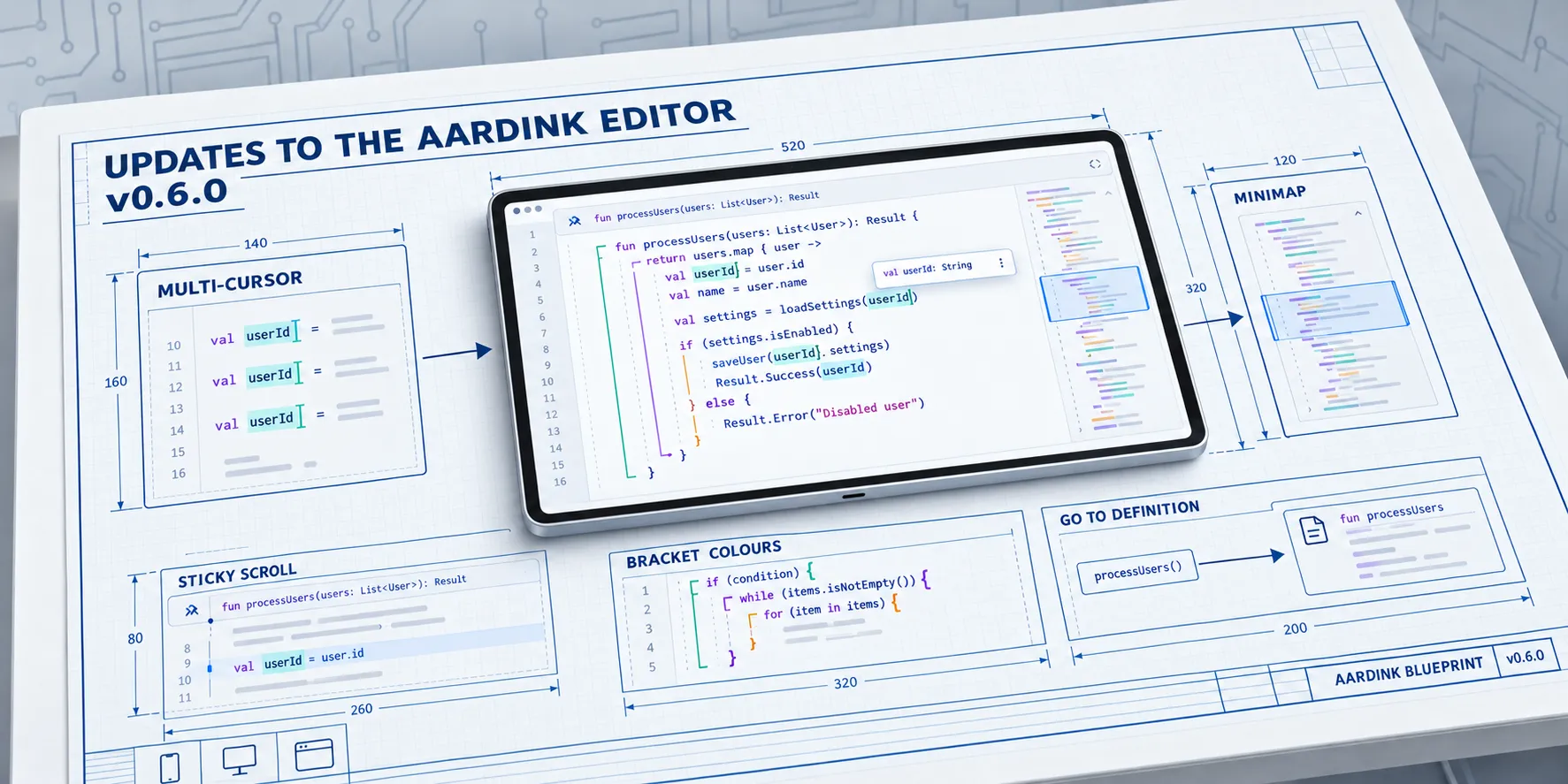
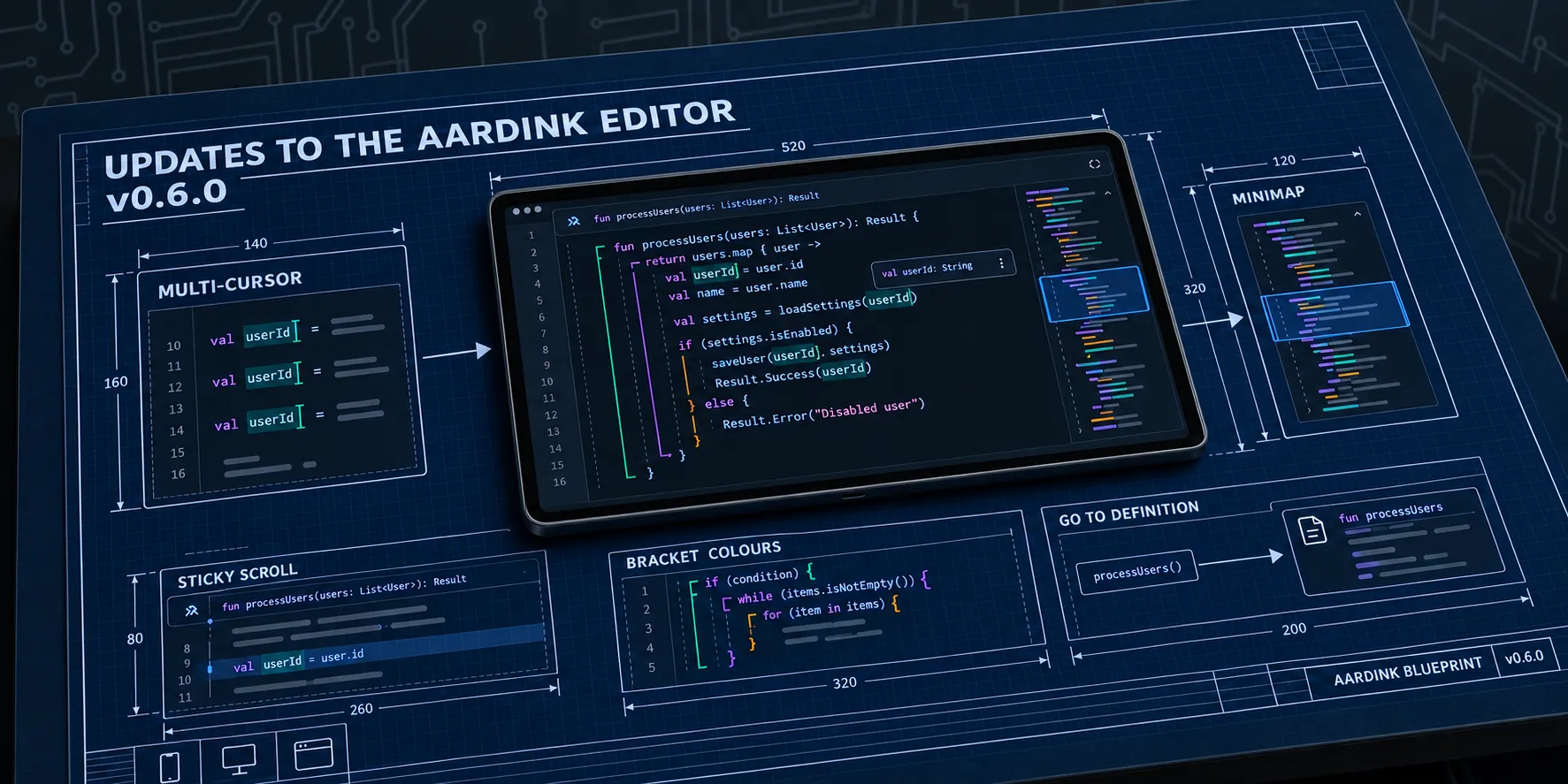
I released Aardink 0.6.0 on 3 October 2026. Underneath, the editor no longer wraps Compose’s text field. It draws only the lines on screen and takes its own text input, on Android, the desktop and the web. Part 5 covers why and how. This post is what got built on top of it, and what it costs you to upgrade.
Two patch releases followed. 0.6.1 on 4 October fixed the XML formatter and theme colours for squiggles, and 0.6.2 on 12 October fixed a gap above the keyboard toolbar on Android. Use 0.6.2.
Upgrading
This release breaks the API on purpose. There is no deprecation bridge, because everything that assumed one text field holding the whole document has nothing left to stand on. Most apps need three changes:
- Pass
EditorOptionsinstead of the boolean flags. - Stop reading
CodeEditorState.textFieldState. Readtextandselections, and edit withapplyEdit. - Drop
annotatedText. Colours come from the tokenizer andEditorTheme.
// 0.5
CodeEditorLayout(state = state, readOnly = true, softWrap = true)

// 0.6
CodeEditorLayout(state = state, options = EditorOptions(readOnly = true, softWrap = true))
The undo manager is gone too. undoManager.canUndo becomes canUndo, and it is snapshot state now, so the
derivedStateOf you wrapped around it can go.
One change compiles fine and still bites. diagnostics now defaults to null, which means “ask the language service”.
An app that passed nothing and has a language service will suddenly show squiggles. Pass emptyList() to keep the old
behaviour.
On the web, the package is on npm and publishes from CI with provenance:
pnpm add @aardarch/aardink-webdocs/MIGRATION_0.6.md lists every removed and
changed symbol with a before and after.
Editing
Multiple cursors use VS Code’s keys. Alt+click adds a caret, Ctrl/Cmd+D adds the next occurrence, Ctrl+Shift+L selects every occurrence, and Ctrl+Alt+Up/Down adds a caret above or below. Shift+Alt+drag makes a column selection. Every edit lands at every caret as one undo step.
An input method composes at the main caret. When the composition ends, the result is repeated at the other carets, in the same undo step.
Line commands are on VS Code’s keys too: toggle comment (Ctrl/Cmd+/), move lines (Alt+Up/Down), copy lines (Shift+Alt+Up/Down), and delete lines (Ctrl/Cmd+Shift+K).
Undo groups the way Monaco does: a word at a time, backspaces together, and every other edit on its own. For dirty
tracking, store alternativeVersionId when you save and compare it later. Undo back to the saved text and it matches
again.
Seeing more
The minimap draws the whole text as blocks in token colours, in tiles of 256 lines that are kept until a line in them changes. Scrolling a 5,000-line file on the web, it adds 0.1 to 0.5 ms a frame and scrolling stays at 60 frames a second.
Sticky scroll pins the first line of up to five enclosing blocks at the top of the view. Click one to jump to it.
The caret’s line is highlighted, the bracket pair at the caret is boxed, and brackets are coloured by depth. The colours
are VS Code’s by default, and the theme parser reads editorBracketHighlight.foreground1 to 6, so a VS Code theme
brings its own.
Popups sit next to the caret now. With a hardware keyboard, completions open as a list at the caret, signature help sits above it, and quick fixes sit at their diagnostic. Rest the mouse on a symbol for half a second and its documentation shows. The language services had hover docs all along. The editor never showed them, which is a bit of a bugger to find out this late.
Language services the editor finally uses
Same story for navigation. Language services have offered definition, references and format since 0.4, and nothing called them.
- F12 or Ctrl/Cmd+click goes to the definition. A definition in another file goes to
onNavigateToLocationfor the host to open. - Shift+F12 lists the references at the caret.
- Shift+Alt+F formats the selection or the whole document. It changes only the lines that differ, as one undo step, so carets and folds elsewhere stay put.
Diagnostics run without the host. The editor asks the language service after a pause in typing, drops any answer for text that has changed since it asked, and moves squiggles with the text while you type.
Grammars can be data. DeclarativeGrammar.parse(json) reads a subset of Monaco’s Monarch format, and the aardflex web
app’s Monaco grammar reads unchanged. Lookbehind is refused when the grammar is read, with where it is, because
Kotlin/wasm’s regex engine runs it at every position. On the web, registerLanguage takes the same grammar plus
JavaScript functions for completions, hover and diagnostics.
Screenshots
The scenes from the screenshot tests, one per feature. Click one to open the viewer.
Try it here
This is the npm package, 0.6.2, with the minimap and sticky scroll on. Its theme follows the site’s light or dark mode.
Have a crack at Ctrl/Cmd+D on shape, Alt+click for more carets, or Shift+Alt+F after making a mess of the indents.
Downloads about 4.7 MB. Needs Chrome or Edge 119, Firefox 120, or Safari 18.2.
The editor is about 4.7 MB gzipped, so the page loads none of it until you click. Hovering or focusing the button calls
preloadAardink(), which usually hides most of the wait.
This blog uses Astro’s ClientRouter, so pages swap without a reload. On Compose Multiplatform 1.12, every disposed
editor leaks about 320 KB, and one left mounted when the page swaps leaks the lot. The component calls dispose() on
astro:before-swap. Don’t transition:persist the container either: moving a mounted editor breaks it from Compose
Multiplatform 1.13.
The rest is config. Vite’s dependency pre-bundler moves the package into .vite/deps, which breaks the relative URLs it
loads its WebAssembly from:
// astro.config.ts
export default defineConfig({
  vite: {
    optimizeDeps: { exclude: ["@aardarch/aardink-web"] },
  },
});
Azure Static Web Apps needs to serve the .wasm files with the right type, or the browser can’t compile them while they
download:
// staticwebapp.config.json
"mimeTypes": {
  ".wasm": "application/wasm"
}
Known limitations
- A disposed editor is not fully released. It leaks about 320 KB on Compose Multiplatform 1.12.1, which 0.6 ships on.
Upstream fixed it for 1.13. Until Aardink moves to 1.13, reuse one editor and call
setValueinstead of mounting a new one per view. - A theme rule’s
backgroundis ignored. ItsforegroundandfontStyleapply. - The console logs “Accessing
memoryviawasmExportsis deprecated” once, when the editor loads its font. It is harmless and comes from Compose’s resources library. - Some checks still need real devices: input methods (CJK on Windows and macOS, Gboard in Android Chrome), TalkBack and NVDA, and the clipboard in Firefox and Safari.
- The browser needs WebAssembly GC: Chrome or Edge 119, Firefox 120, or Safari 18.2.
Part 7 swaps Monaco out of Aardflex for this editor.