What Kotlin Multiplatform is, using Aardink as the example
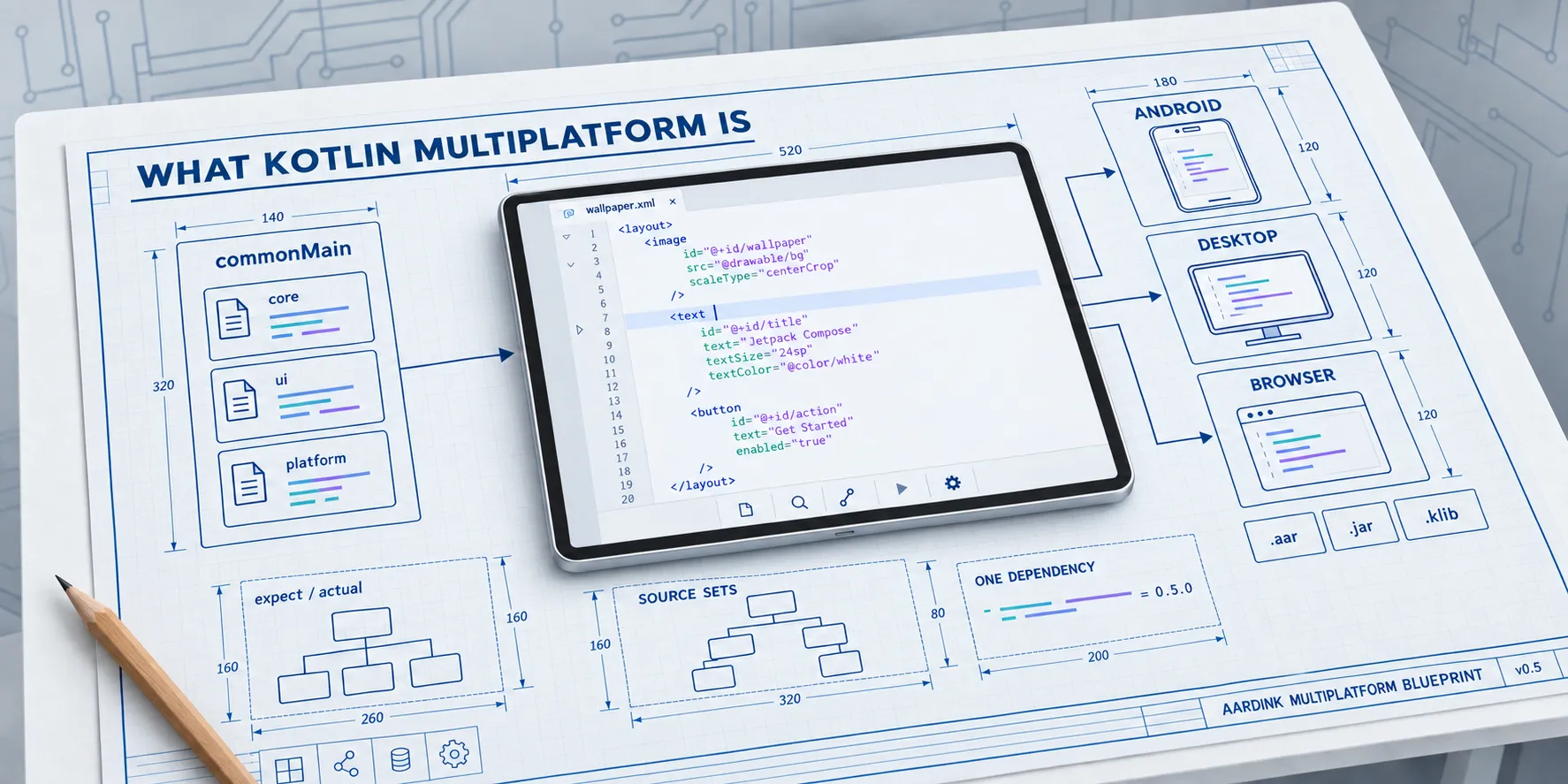

Aardflex’s web app edits wallpaper XML in Monaco, the editor inside VS Code. On a laptop it’s great. On a phone it doesn’t work, and it was never meant to. Aardink, my Compose code editor, already does that job in the Aardflex Android app. So the question behind this series was simple: can one editor run on Android, the desktop, and the web, without a second codebase?
It can, with Kotlin Multiplatform and Compose Multiplatform. Here is why that pair and not the others.
Few editors to choose from
A code editor is a hard component. It needs colouring that keeps up with typing, folding, undo that groups edits sensibly, find and replace, and a way to talk to a language server. Few people build one, so on each platform you get what already exists.
On Android the mature editors are built on Views. Sora Editor, the most
complete, is a custom View. You can host it in Compose with AndroidView, but then the editor sits outside Compose’s
state and theming. The Compose options I found are mostly syntax highlighters over a text field, and some run
highlight.js in a hidden WebView. That gap is why Aardink exists.
The web has more choice: Monaco, CodeMirror, and Ace. Shrink the browser to a phone and the choice narrows again. Monaco’s own FAQ is blunt: “Is the editor supported in mobile browsers or mobile web app frameworks? No.” CodeMirror 6 does run on phones, because it leans on the browser’s own text editing, but it’s a second editor in a second language, with its own grammars, its own undo, and its own bugs.
So the one editor that already worked well on a phone was Aardink, on Android. I reckoned the cheapest way to a phone-friendly web editor was to run that same code in the browser.
One codebase, native everywhere
In an ideal world you write the thing once, and every target gets a proper native build. It is compiled for that platform, it uses the platform’s input, look, and accessibility, it can reach the platform’s APIs when it has to, and nothing changes for the users you already have. No framework gives you all of that. Each one picks what to give up.
Two projects with similar names
Kotlin Multiplatform (KMP) starts from the compiler. Kotlin has a back end per target: JVM bytecode for Android and the
desktop, native binaries through LLVM for iOS, and JavaScript or WebAssembly for the browser. Shared code is ordinary
Kotlin compiled for each target, with no bridge or interpreter between it and the platform. Sharing is opt-in, so you
can share one module or the lot. Where a platform has to differ you say so with expect and actual, rather than
hiding it behind a lowest common denominator. KMP has been
stable since Kotlin 1.9.20 in November 2023.
Compose Multiplatform (CMP) is the UI half: JetBrains’ Compose for the desktop, iOS, and the web, built on KMP. Its most important design choice is on Android, where it resolves to the AndroidX Compose artifacts. That is the platform’s own modern UI toolkit, so an Android app gets exactly what it had. Everywhere else CMP draws with Skia, the way Flutter does: one look on every platform, but not the platform’s own controls.
For a code editor that trade costs almost nothing. No platform has a native code editor control, and every editor, Monaco included, draws its own text.
Aardink needs both. The editor is Compose UI, so KMP alone would have shared the tokenisers and left the editor behind.
Compose Multiplatform on the web is Beta, and so is Kotlin/Wasm under it. It draws to a canvas through Skia compiled to WebAssembly. Android, iOS, and the desktop are stable.
Compared with .NET MAUI and the rest
There are four broad ways to share one codebase, and they differ in where the shared part stops.
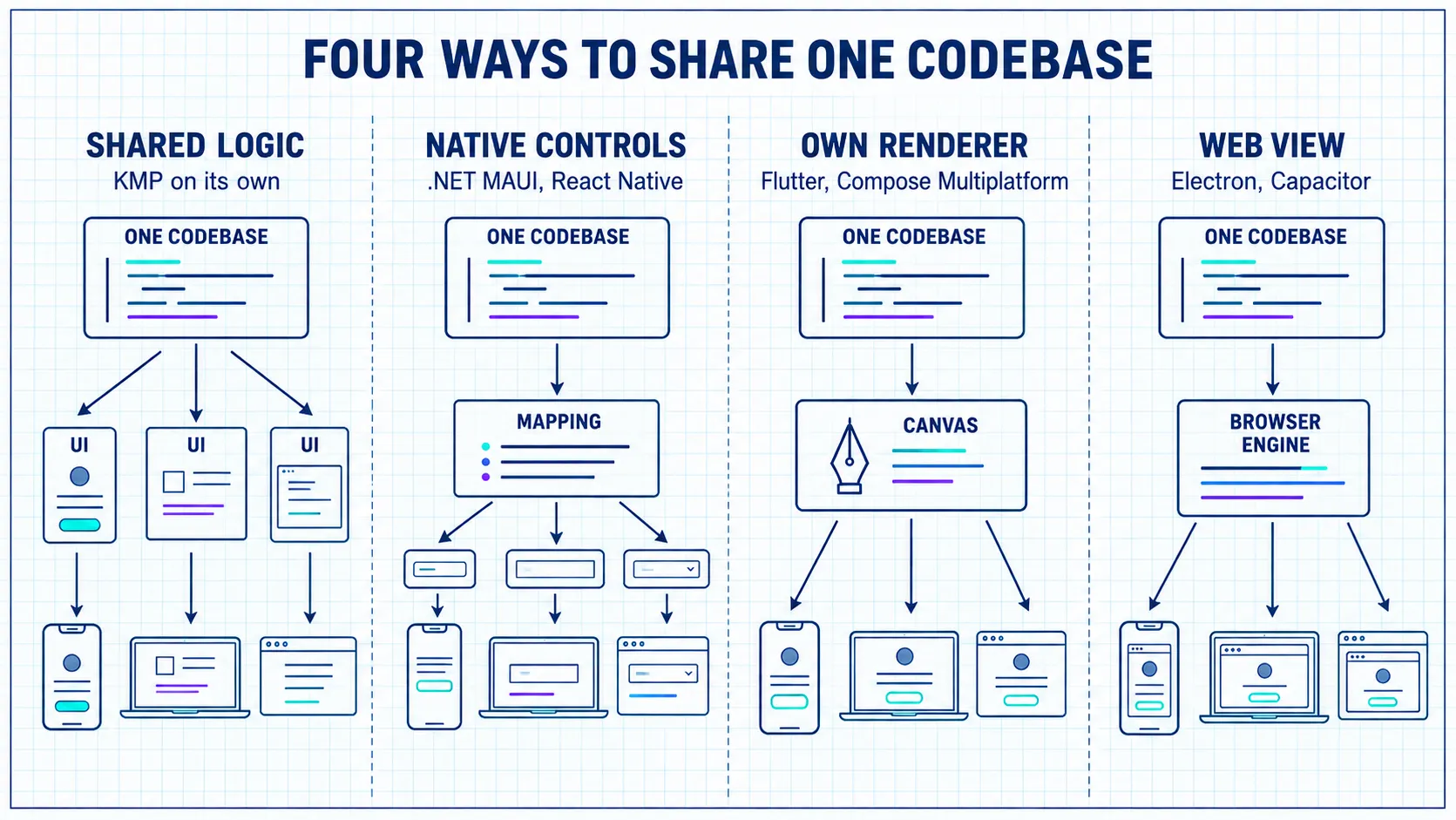
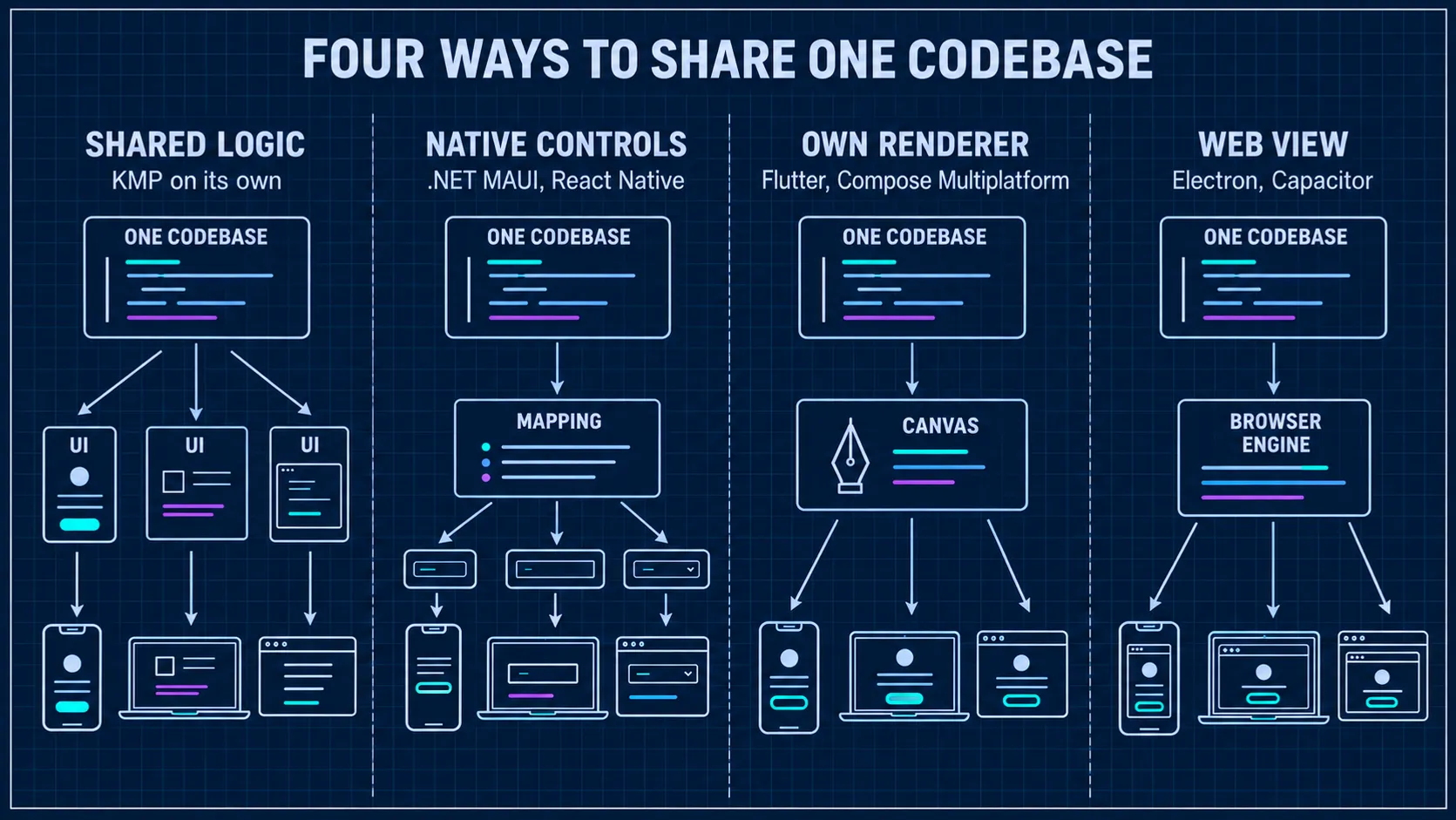
| Approach | Examples | How each target gets its UI | What it meant for Aardink |
|---|---|---|---|
| Shared logic only | KMP on its own | Each platform’s own toolkit | A second editor for the web |
| Native controls | .NET MAUI, React Native | Mapped to the platform’s own controls | No code editor control to map to |
| Own renderer | Flutter | Draws every pixel itself, Android included | A rewrite in Dart |
| Own renderer, native on Android | Compose Multiplatform | Jetpack Compose on Android, Skia elsewhere | The same code, moved |
| Web view | Electron, Capacitor | A browser engine inside the app | Monaco again, and not on phones |
.NET MAUI is the closest in spirit and the furthest in
design. One C# and XAML project targets Android, iOS, macOS, and Windows, and its controls go through handlers to each
platform’s own controls: an Entry is an EditText on Android and a UITextField on iOS. You get each platform’s look
and accessibility for free, as long as the control exists on every platform.
A code editor doesn’t exist on any of them. In MAUI you would either host Monaco in a web view, which rules phones out again, or draw the editor yourself on MAUI’s graphics canvas, which is the own-renderer approach built by hand. MAUI also has no browser target of its own. Sharing UI with the web means Blazor Hybrid: Razor components in a web view inside the app.
Flutter makes Compose Multiplatform’s choice everywhere, Android included, and in Dart. For Aardink that meant a rewrite, and an Android app built with Compose would have to embed a Flutter view to use it. React Native maps to native views the way MAUI does, and has the same missing control. A web view, Electron on the desktop or Capacitor on a phone, brings back Monaco, and on a phone that’s where this started.
Only Kotlin with Compose kept the Android editor as it was, the same Jetpack Compose code under the same Maven coordinates, and put that code in a browser.
The targets Aardink picked
- Android, the existing product. The rule was zero regression.
jvm()for the desktop, the fastest loop for developing and testing, and where the Compose UI tests run.wasmJsfor the browser, the way to replace Monaco.
There is no iOS target. Aardflex’s app is Android only, so nothing needed it. Adding it later means writing the iOS side
of the platform/ package, not a second editor.
Source sets
KMP splits each module into source sets. Shared code goes in commonMain, and each target gets its own: androidMain,
jvmMain, and wasmJsMain. Tests in commonTest run on the JVM and in headless Chrome. Between the two levels you can
add your own sets, for code that some targets share and others can’t use.
Aardink has two of those in-between sets. skikoMain, added in 0.6, holds the text input code that the desktop and the
browser share: Compose draws both with Skia, and their text input request is one interface, different from Android’s.
:languages-lsp has a hand-made jvmAndAndroidMain for StreamLspTransport, because java.io streams exist on
Android and the JVM but not on wasm. The default hierarchy template doesn’t create that set for you.
expect and actual
Aardink has one rule here: expect and actual live only in the platform/ package. Everything else is common code,
and UI code reads platform facts rather than testing for a platform itself.
EditorDispatchers is the clearest example. The common declaration says what the editor needs:
// commonMain
expect object EditorDispatchers {
    val compute: CoroutineDispatcher
    val io: CoroutineDispatcher
    val computeIsMainThread: Boolean
}
On Android and the desktop compute is Dispatchers.Default and io is Dispatchers.IO. The browser is different:
// wasmJsMain
actual object EditorDispatchers {
    actual val compute: CoroutineDispatcher = Dispatchers.Default
    actual val io: CoroutineDispatcher = Dispatchers.Default
    actual val computeIsMainThread: Boolean = true
}
Dispatchers.IO doesn’t exist on wasm, and Dispatchers.Default there is the one JavaScript event loop. So
computeIsMainThread is true, and long work such as tokenising a big file has to be chunked, or the page freezes.
PlatformInfo is the second example: isMacOs, hasSoftKeyboard, and where the keyboard toolbar goes. On the web
WindowInsets.ime is always 0, so a toolbar that hovers above the soft keyboard would never appear there.
What Android users see
The dependency line didn’t change:
implementation("com.aardarch:aardink:0.5.0")Publishing does more behind it. There is now a root publication with Gradle Module Metadata, plus one artifact per
target: aardink-android (an .aar), aardink-jvm (a .jar), and aardink-wasm-js (a .klib). Gradle reads the
metadata and picks the Android one, the same way it does for kotlinx.coroutines. Only a build that pinned the .aar
explicitly has anything to change.